cart-shoppingPurchase Management

Streamline procurement with connected requests, approvals, orders, and receiving in one traceable workflow.

Overview

Labii Purchase Management helps laboratories and operations teams run procurement from request to receiving in one connected system. Instead of managing requests, approvals, vendor communication, and receiving in disconnected tools, teams can execute the full purchasing lifecycle with structured records, status tracking, and audit-ready history.

The application supports material-level traceability, multi-level approvals, vendor and order management, and receiving integration. By linking purchasing records with inventory data, Labii helps reduce stockouts, improve purchasing consistency, and maintain compliance with internal SOPs and external quality frameworks.

Use Labii Purchase Managementarrow-up-right to connect procurement and inventory operations with complete visibility and control.

Labii Purchase Management overview
Manage purchase requests, approvals, orders, and receiving in one unified workflow.

Use Cases

Laboratory Replenishment and Inventory Continuity

  • Start purchase requests directly from material records when stock reaches reorder thresholds.

  • Keep procurement aligned with real inventory demand across projects and departments.

  • Maintain traceability from requested material to received lot.

Controlled Purchasing and Budget Visibility

  • Route requests through one or more approval levels based on team policy.

  • Capture vendor, quantity, pricing, and business justification data in a standardized format.

  • Track order and payment status to improve spending transparency.

Regulated and Audit-Ready Procurement

  • Preserve complete records for request creation, approval decisions, and receiving outcomes.

  • Support QA and compliance reviews with consistent purchasing documentation.

  • Improve cross-team accountability between requesters, approvers, buyers, and receiving staff.

Getting Started

1

Install the Purchase Management application from Add from a template.

2

Confirm the following core tables are available:

  • fn_purchase

  • im_material

  • fn_vendor

  • core_receiving

3

Assign team roles and permissions for requester, approver, procurement, and receiving responsibilities.

4

Review required fields in purchase requests, approval logic, and receiving records so all teams follow the same process.

circle-info

Before go-live, define a standard status model (for example: Draft, Submitted, Approved, Ordered, Partially Received, Fully Received, Closed) to keep reporting and handoffs consistent.

Workflow: Create a Purchase Request from Materials

Build requests using real material demand and current inventory context.

1

Open the Materials table (im_material) and identify items that need replenishment based on stock level, forecasted usage, or project requirements.

2

Create a purchase request record in Purchases (fn_purchase) and link the material, requested quantity, preferred vendor, expected unit cost, and business justification.

3

Attach supporting details such as urgency, required-by date, and internal notes for approvers.

4

Submit the request for approval according to your configured workflow.

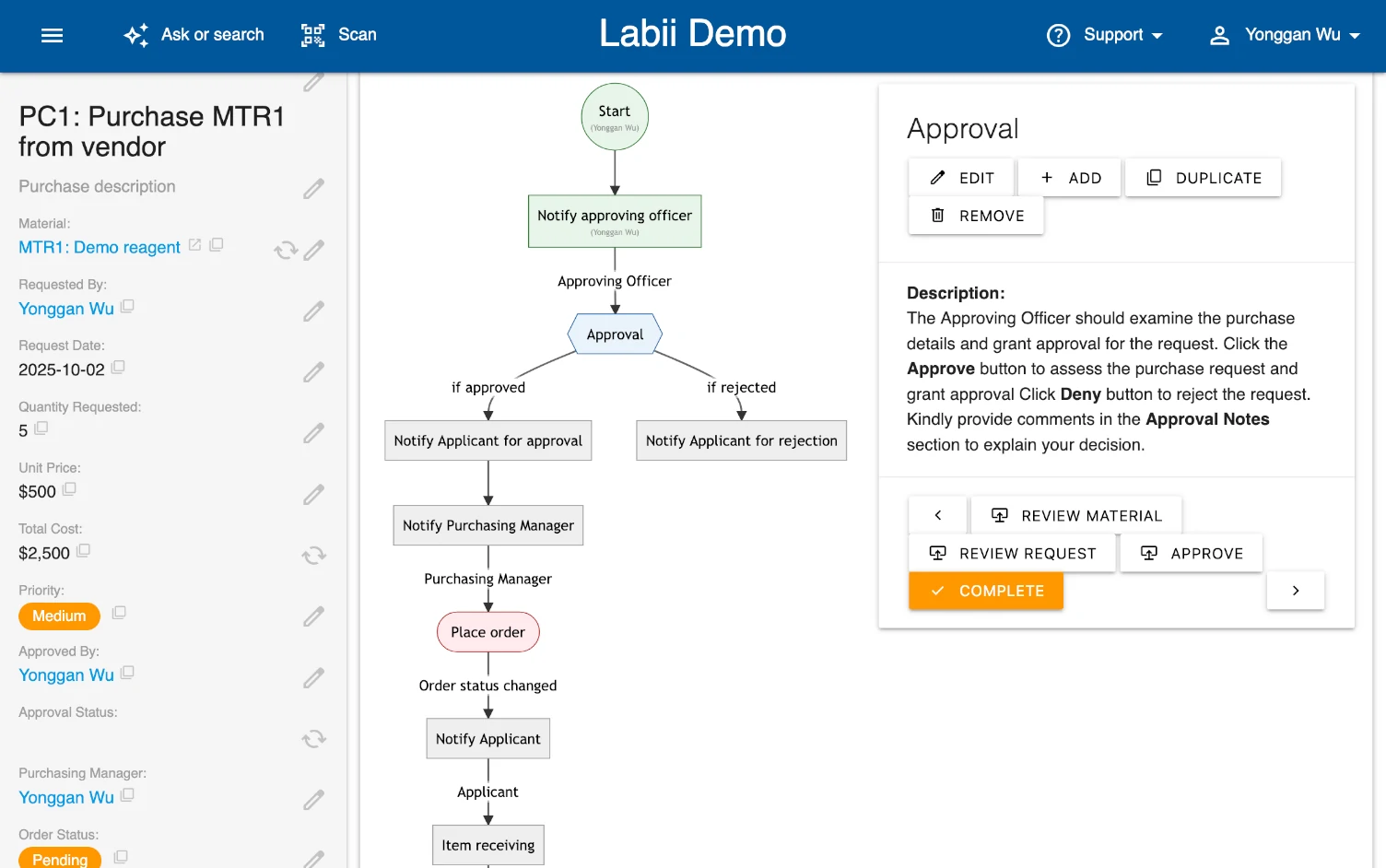
Purchase request capture in Labii
Capture structured request details including materials, quantities, vendors, and justification.
Workflow: Approve and Place Orders

Move qualified requests into actionable purchase orders with clear accountability.

1

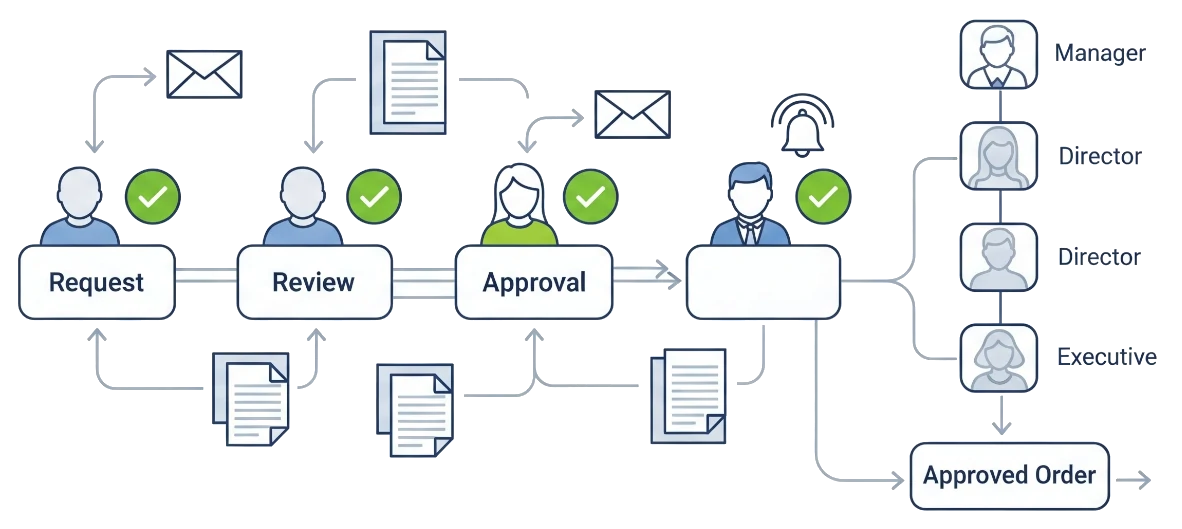
Approvers review submitted requests in fn_purchase, validate quantity and budget impact, and approve or reject with comments.

2

For approved requests, select or confirm vendor information from Vendors (fn_vendor) and finalize ordering details.

3

Record order metadata such as PO/reference number, order date, invoice details, and payment status.

4

Update purchase status to reflect progression from approval to ordering and communicate status changes through notifications.

Purchase approval workflow
Use multi-level approvals to control purchasing decisions and reduce process delays.
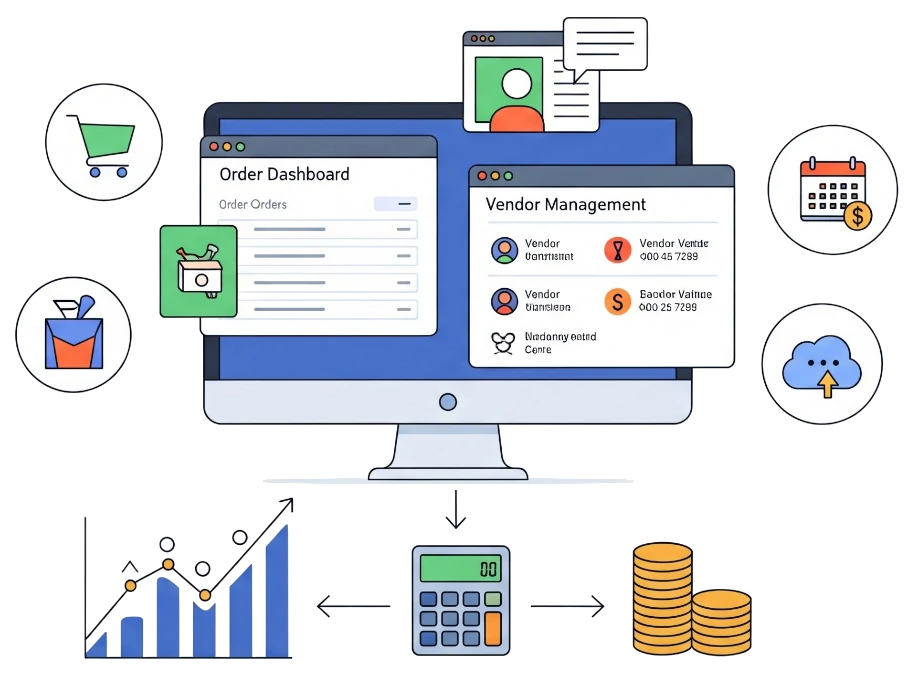
Purchase order and cost tracking
Track order, invoice, and payment details in one procurement record.
Workflow: Receive Materials and Close the Procurement Loop

Connect ordered items to receiving records for complete lifecycle tracking.

1

When shipments arrive, create or update records in Receiving (core_receiving) with received date, quantity, lot number, expiration date, and storage location.

2

Link receiving records back to the corresponding purchase request/order in fn_purchase.

3

Reconcile ordered versus received quantities and mark partial or full receipt status.

4

Finalize the purchase record after all expected items are received and validated.

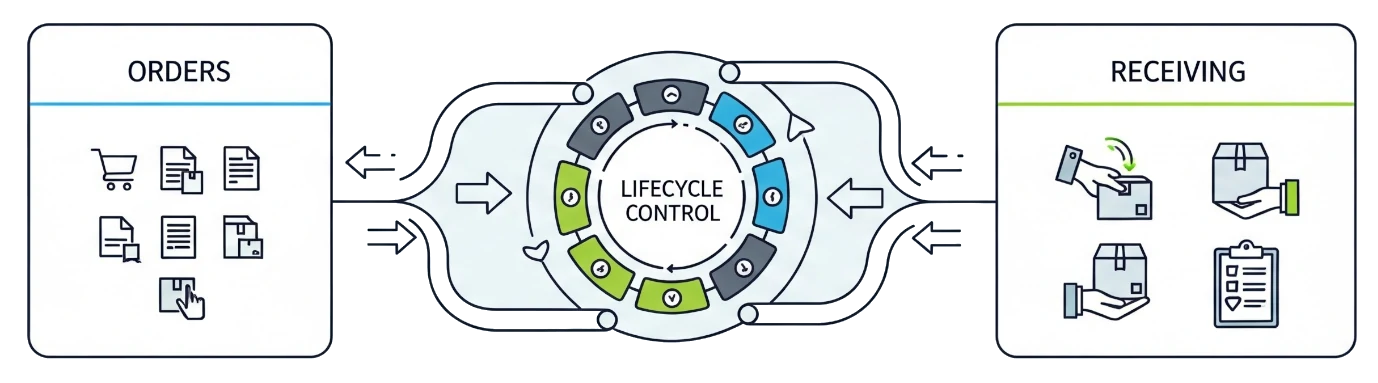
Receiving integration for purchase lifecycle
Link purchasing and receiving data to maintain accurate stock and complete traceability.

Advanced Features

Multi-Level Approval Design

Create approval paths based on department, total cost, or material category so high-impact purchases receive additional review.

Automated Notifications

Trigger notifications at key transitions such as submission, approval, rejection, order placement, and receiving completion to reduce manual follow-up.

Procurement Analytics and Financial Monitoring

Use purchase status, vendor, quantity, and cost fields to monitor cycle time, approval bottlenecks, vendor performance, and budget utilization.

circle-check

Troubleshooting

Issue: Requests are submitted but not routed for approval

Symptoms: Purchase records remain in submitted status with no approver action.

Solution:

1

Verify approval workflow configuration and role assignments for approvers.

2

Confirm required request fields are completed before submission.

3

Check notification settings to ensure approvers receive alerts.

Issue: Ordered quantities and received quantities do not match

Symptoms: Purchase records show open or inconsistent receiving status.

Solution:

1

Review linked core_receiving records for partial shipments, data entry errors, or missing lines.

2

Validate units of measure between request, order, and receiving records.

3

Update purchase status only after reconciliation is complete.

Issue: Users can view purchases but cannot update records

Symptoms: Edit actions are unavailable for requesters or buyers.

Solution:

1

Review table permissions for fn_purchase, fn_vendor, and core_receiving.

2

Confirm team membership and project-level access controls.

3

Check whether status or approval rules intentionally lock records after specific stages.

Last updated