Explore Labii
Specs
| Label | Value |
|---|---|
| Version | 0.1.0 (updated on 2022-08-28) |
| Developer | Labii Inc. |
| Type | Dashboard |
| Support Configuration | No |
Overview
The Explore Labii dashboard widget helps users discover Labii features and continue configuring their accounts for specific research needs. It provides a convenient dashboard entry point for learning about platform capabilities, setup options, and next steps after initial onboarding. This widget is useful for personal dashboards, training dashboards, and shared dashboards where users need guided platform exploration.
Use Cases
- Feature discovery: Help users find useful Labii capabilities after initial setup.
- Account configuration: Guide users toward options that tailor Labii to their workflows.
- Training support: Provide a persistent exploration prompt during onboarding programs.
- Adoption enablement: Encourage users to deepen their understanding of available tools.
Configuration
The Explore Labii widget does not require configuration. Add it to a dashboard to display Labii-provided exploration resources.
Initial Setup
Navigate to the dashboard where users should discover Labii features.
Click Add Widget and select Explore Labii from the dashboard widget catalog.
Save the widget to place it on the dashboard.
Required Settings
- None: The widget displays built-in Labii exploration content.
Optional Settings
- None: The widget is ready to use after it is added to a dashboard.
Readonly View
Display Features
- Exploration prompts: Highlights ways users can configure and extend their Labii workspace.
- Dashboard access: Keeps learning and setup resources available from the dashboard.
- Research workflow context: Helps users connect Labii capabilities to their own work.
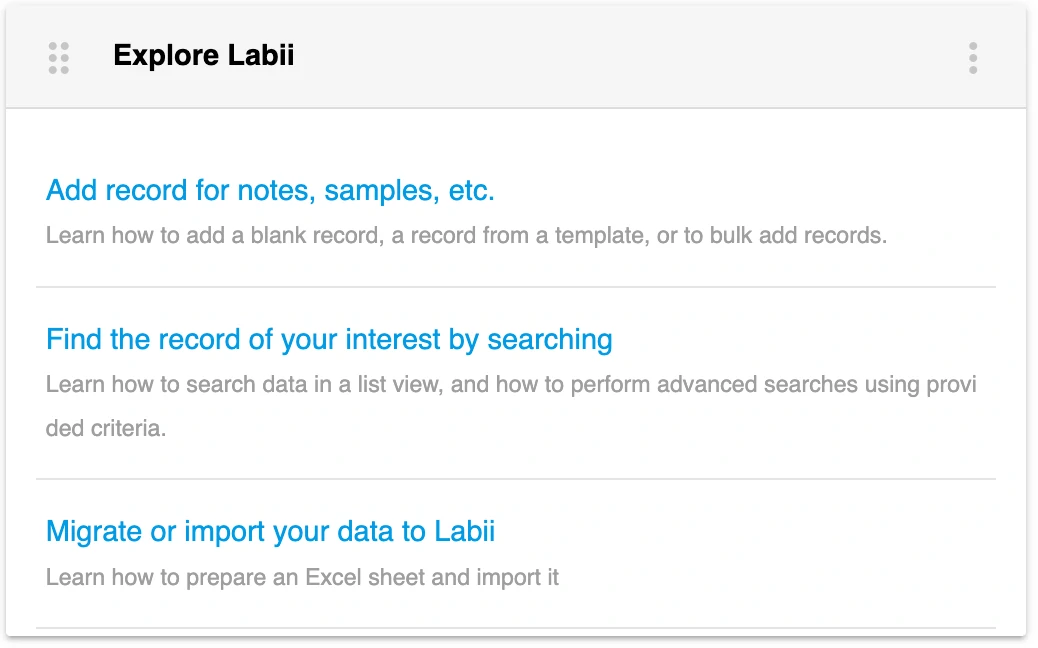
The Explore Labii widget helps users discover platform capabilities and configuration options.
Interactive Features
- Open resources: Users can select links in the widget to learn more about Labii capabilities.
Best Practices
- Use this widget on onboarding and training dashboards.
- Pair it with Welcome to Labii for a complete new-user dashboard experience.
- Keep it visible during early adoption so users can revisit configuration guidance.