> For the complete documentation index, see [llms.txt](https://docs.labii.com/llms.txt). Markdown versions of documentation pages are available by appending `.md` to page URLs; this page is available as [Markdown](https://docs.labii.com/applications/inventory-management/chemical-registration.md).
# Chemical Registration
Labii offers a ready-made chemical registration solution, allowing you to gather comprehensive data concerning a chemical's physical and chemical characteristics, toxicity, health risks, environmental
## Overview
Chemical registration refers to the process of recording and documenting information about chemical substances, including their composition, properties, hazards, and uses. This process is important for various purposes, including regulatory compliance, safety, research, and product development.
Labii offers a ready-made [chemical registration](https://www.labii.com/chemical-registration) solution, allowing you to gather comprehensive data concerning a chemical's physical and chemical characteristics, toxicity, health risks, environmental impacts, safe handling protocols, and additional information. Moreover, you have the flexibility to tailor it to align with the unique requirements of various countries and regions.
## Requirements
* [Install **Chemical Registration** application](/admin-guide/applications.md#add-from-a-template).
## 1. Add a chemical
[Registering a new chemical](/user-guide/add-record.md) is as simple as clicking the "**Add Chemical**" button. Fill in the name and any other required information. You can leave the chemical information empty, as Labii is capable of generating this information automatically.
## 2. Chemical information
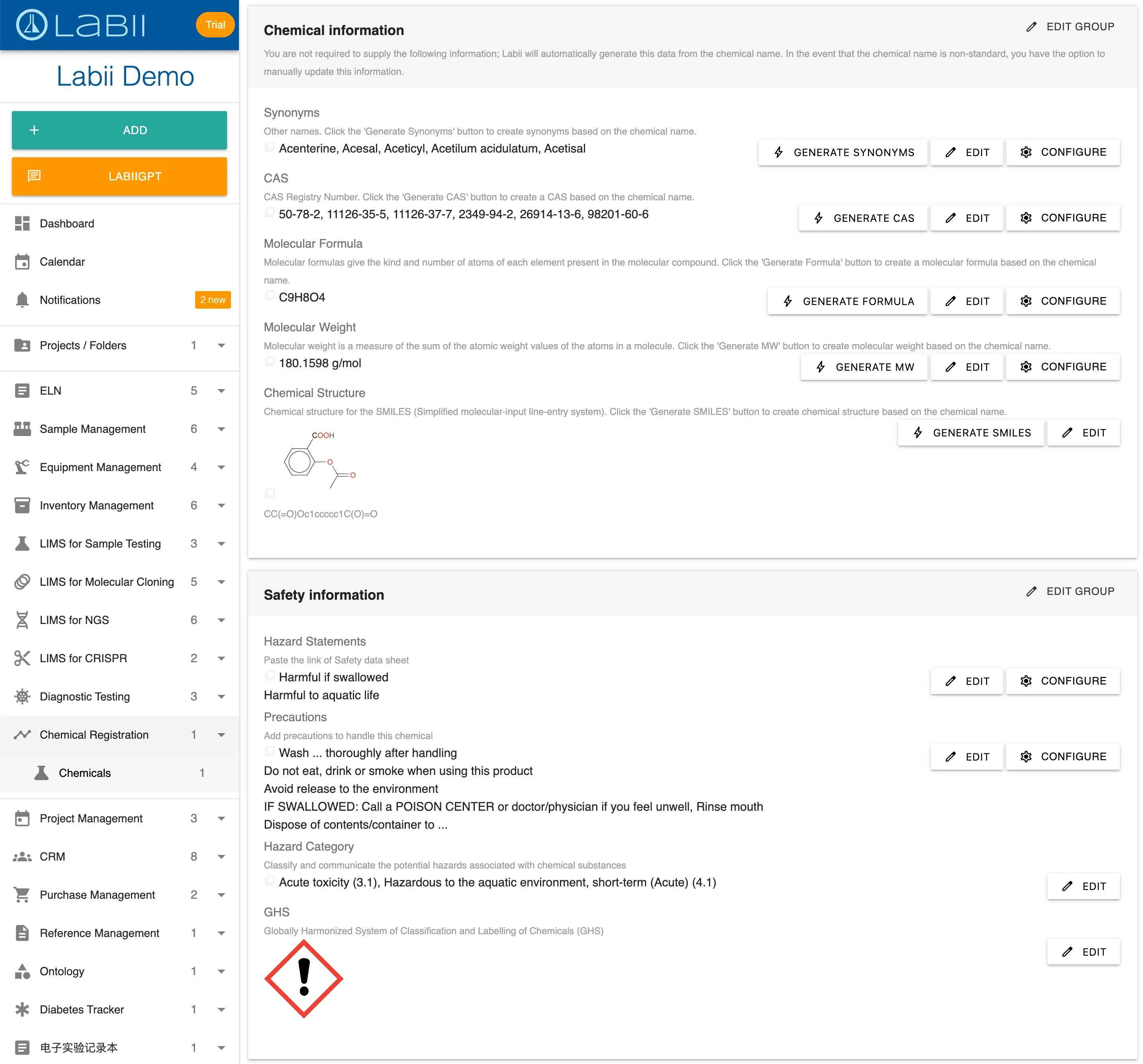
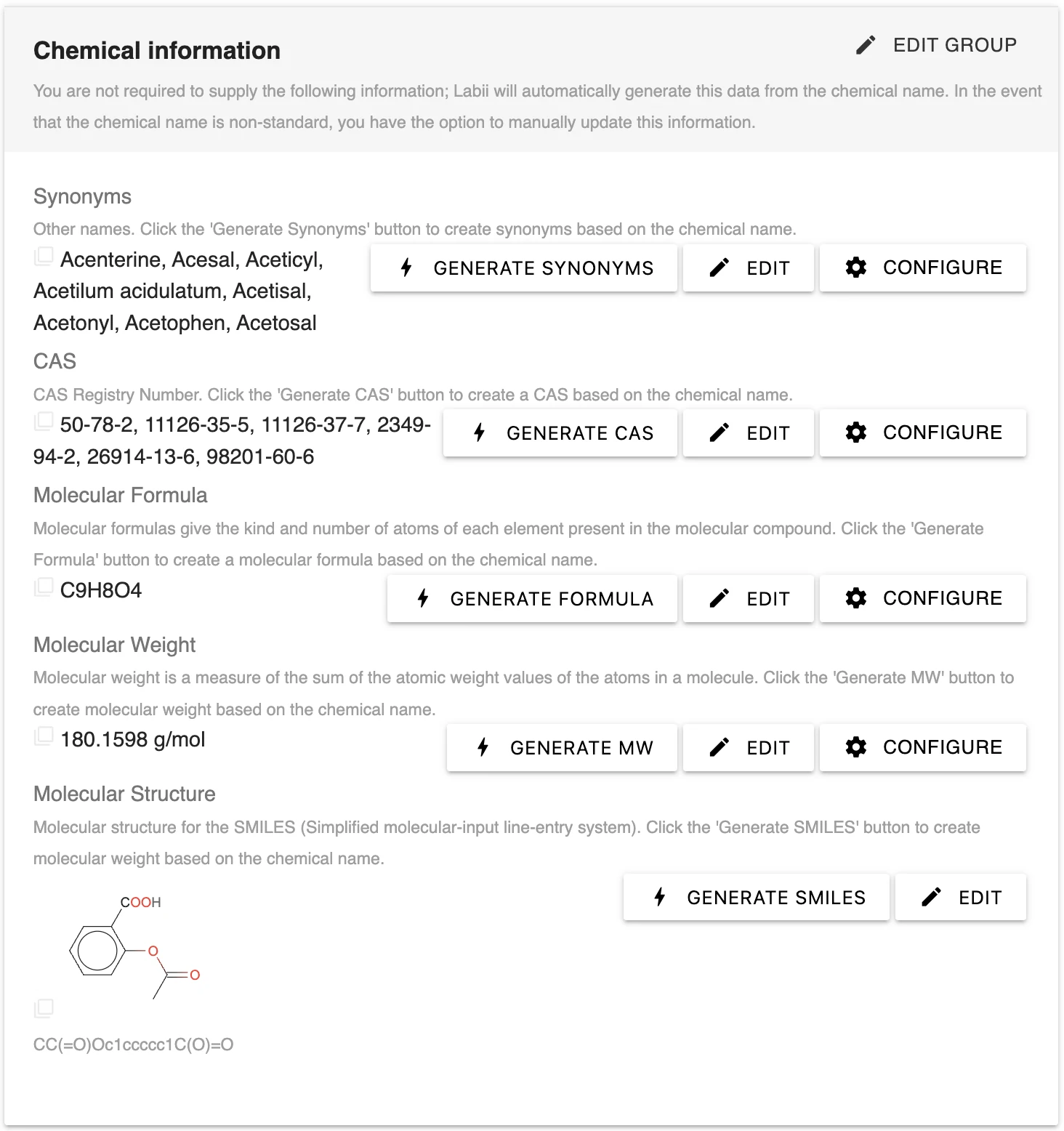
Once added, Labii will automatically generate chemical information, which includes synonyms, CAS numbers, molecular formula, molecular weight, and chemical structure. You may find multiple entries for synonyms and CAS numbers, so please manually remove any unnecessary ones.
## 3. Safety information
If safety information has not been provided in step 1, you have the option to update safety details for fields such as Hazard statements, Precautions, Hazard category, and GHS image.
## 4. Chemical structure
In addition to the chemical structure generated from SMILES, you can utilize a [chemical drawing widget](/widgets/section-widgets/chemistry/chemical-drawing.md) for displaying and editing chemical structures. These widgets are compatible with all common chemical formats and offer features like substructure search and similarity search.
## 5. Safety date sheet (SDS)
For efficient tracking, you have the option to upload an SDS document. Labii employs the [Files widget](/widgets/section-widgets/office/file.md) to store SDS files.
---
# Agent Instructions
This documentation is published with GitBook. GitBook is the documentation platform designed so that both humans and AI agents can read, navigate, and reason over technical content effectively. Learn more at gitbook.com.
## Querying This Documentation
If you need additional information that is not directly available in this page, you can query the documentation by asking a question.
Perform an HTTP GET request on the following URL with the `ask` and `goal` query parameters:
```
GET https://docs.labii.com/applications/inventory-management/chemical-registration.md?ask=&goal=
```
`ask` is the immediate question: it should be specific, self-contained, and written in natural language.
`goal` is what the user is ultimately trying to achieve, the reason they need the answer. Sharing it helps GitBook give you a better, more relevant answer. A goal is most helpful when it describes the outcome the user wants rather than restating the question. For example, with `ask=how do I create an API token`, a goal like `automate deployments from our CI pipeline` lets GitBook tailor the answer to that use case.
The response will contain a direct answer to the question and relevant excerpts and sources from the documentation.
Use this mechanism when the answer is not explicitly present in the current page, you need clarification or additional context, or you want to retrieve related documentation sections.