Metadata
Specs
| Label | Value |
|---|---|
| Version | 2.0.0 (updated on 2021-11-25) |
| Developer | Labii Inc. |
| Type | Section |
| Support Configuration | No |
Overview
The Metadata widget displays and manages metadata associated with a record in a simple key-value format. It helps laboratory teams capture descriptive context, operational attributes, and system-level annotations without redesigning the underlying table structure. This widget is useful when records need lightweight, flexible metadata for tracking, filtering, reporting, or downstream integrations.
Use Cases
- Record annotation: Add descriptive metadata such as storage conditions, supplier identifiers, instrument settings, or external reference IDs.
- Data standardization: Store normalized key-value attributes that make related records easier to compare across experiments or batches.
- Operational traceability: Capture contextual details that support audits, investigations, and reproducibility efforts.
- Reporting support: Expose metadata values that help users interpret records in dashboards, exports, or review workflows.
- Integration workflows: Maintain connector fields that map Labii records to external systems, files, or services.
Interface
Read-only View
In read-only mode, the widget presents metadata as a list of key-value pairs linked to the current record. This layout makes it easy to scan labels and values without opening a larger editor or navigating to another tab.
- Data display: Each metadata entry appears as a paired label and value.
- Visibility: Users can quickly review the metadata already attached to the record.
- Interpretation: The format is well suited for concise technical attributes and system annotations.
- Record context: Displayed metadata stays tied to the active record, helping users verify context before editing or signing.
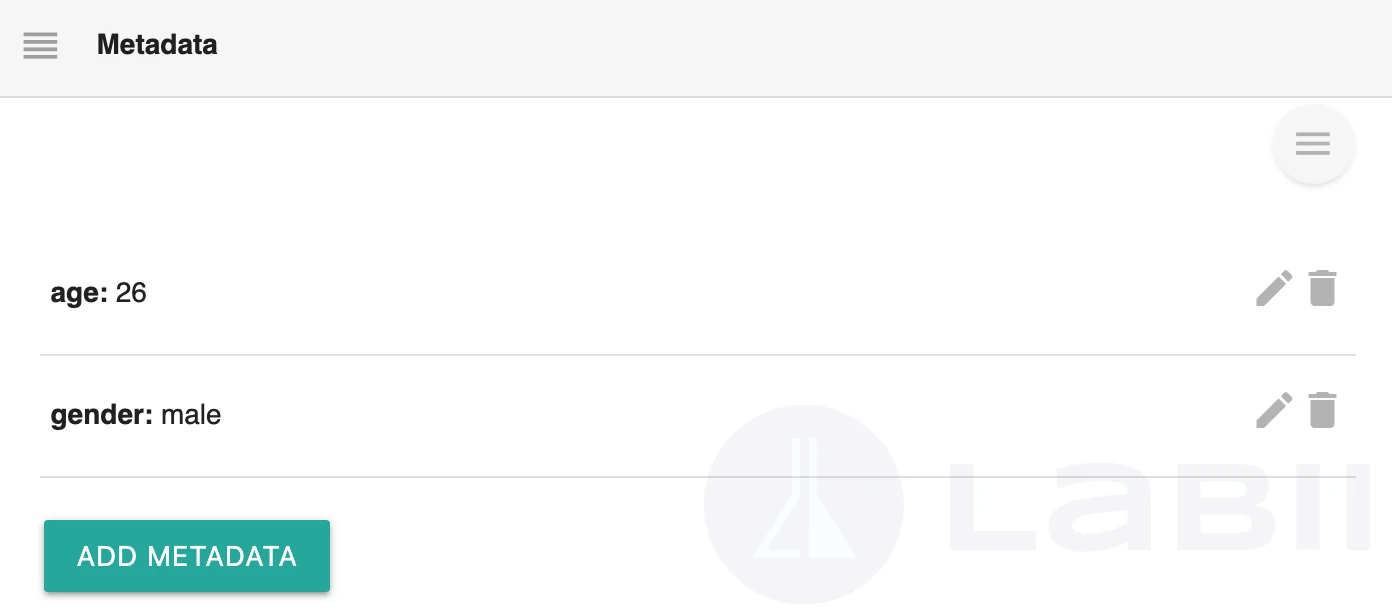
Edit View
In edit mode, the widget provides a form-based interface for adding, updating, and removing metadata entries. Users can enter the metadata label and its corresponding value directly within the widget.
- Input methods: Add or revise metadata using editable key and value fields.
- Entry management: Remove outdated metadata entries when they are no longer relevant.
- Flexible structure: Support both operational and descriptive metadata without requiring predefined columns.
- Fast updates: Make targeted changes without restructuring the rest of the record.
Configuration
The Metadata widget does not expose widget-specific configuration options. After adding it to a section, users can begin viewing and editing metadata immediately.
Initial Setup
Add the Metadata widget to the target section in your table or application layout.
Open a record that should display or capture metadata.
Review the existing metadata in read-only mode or switch to edit mode to create and maintain key-value entries.
Required Settings
- None. The widget works without additional setup fields.
Optional Settings
- None. Behavior is driven by the record's metadata content rather than widget-level options.
Because the widget has no configuration panel, implementation is straightforward and consistent across tables and applications.
Additional Functions
Metadata Maintenance
- Add entries: Create new metadata pairs when a record needs extra descriptive context.
- Update entries: Revise metadata values as experiments, samples, or operational conditions change.
- Remove entries: Delete obsolete keys to keep records concise and relevant.
Workflow Support
- Flexible capture: Use metadata for details that do not justify dedicated schema changes.
- Context retention: Keep record-specific annotations visible alongside the rest of the record content.
- Review readiness: Present supporting details in a compact format for reviewers and collaborators.
Compliance and Audit Use
- Traceability support: Maintain contextual attributes that help explain how a record was created, processed, or reviewed.
- Controlled updates: Pair this widget with Labii versioning and signing workflows when metadata changes must be reviewed.
Best Practices
Data Organization
- Use consistent metadata key names across records to make review, reporting, and automation easier.
- Keep values concise and specific so metadata remains readable in both detail and summary workflows.
- Prefer stable labels such as batch ID, instrument ID, source system, or storage condition over ambiguous free-text keys.
Performance and Usability
- Limit metadata to meaningful attributes instead of storing large narrative content in key-value pairs.
- Move repeated long-form explanations to text-oriented widgets and keep this widget focused on compact metadata.
- Periodically review records for duplicate or stale metadata keys.
Security and Compliance
- Use standardized metadata labels when records contribute to regulated workflows or formal review processes.
- Confirm that edits to metadata follow your organization's audit, approval, and data-governance procedures.
- Avoid storing secrets or sensitive credentials in metadata fields.
Treat metadata keys as part of your laboratory data standard. Consistent labels improve searchability, interpretation, and downstream reuse.
Common Pitfalls to Avoid
- Avoid: Creating multiple labels for the same concept, such as
Batch,Batch ID, andbatch_id. - Avoid: Using metadata for long procedural notes that are better handled by text or document widgets.
- Instead: Define a small approved set of key names for each workflow and reuse them consistently.
Maintenance and Troubleshooting
- Review metadata keys during table governance or template reviews.
- If metadata becomes inconsistent, standardize labels and update affected records in a controlled batch.
- If users need structured validation, consider dedicated columns instead of unrestricted metadata entries.